🇦🇺 Proudly serving Aussie businesses with
our local Melbourne team

EMPLOYEE TASK MANAGEMENT APP See every task get
done right

Assign tasks, make responsibilities clear, and follow work through to completion. Nothing slips through the cracks. No
chasing updates.

  • No credit card needed | Best ease of use
  • GDPR Aligned
  • ISO 27001
  • SOC 2 Certified

No credit card needed No credit card needed | Best ease of use

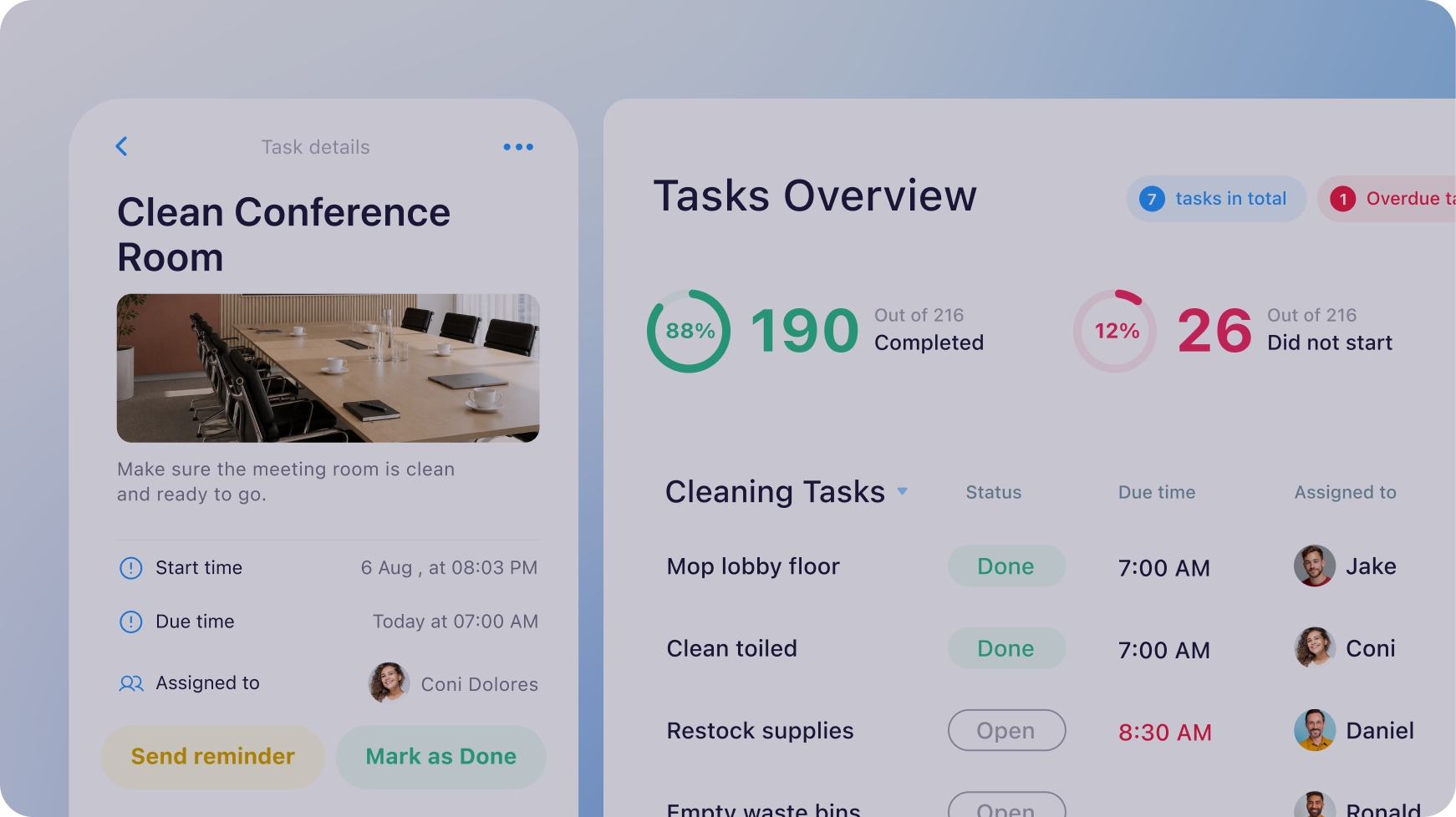
Connecteam's desktop and mobile interface showing quick tasks, open training modules, and upcoming inspection tasks.

Trusted by over 25,000 Australian brands

Logo
Logo
UltraTune Logo
SubWay Logo
Red Rooster Logo
Ray White Logo
Night Owl Logo
Muffin Break Logo
KFC Logo
Keolis Downer Logo
Jamaica Blue Logo
Instant Scripts Logo
Gloria Jeans Logo
DGA Logo
Cleanaway Logo

Learn about our Tasks
in 2 minutes

Connecteam task management product video thumbnail

One simple flow from to-⁠do to done

  1. Create tasks icon

    Create

    Build complete tasks with details, files, and deadlines

    Build complete tasks with details, files, and deadlines

  2. Assign tasks icon

    Assign

    Assign to the right people and make ownership clear

    Assign to the right people and make ownership clear

  3. Track progress icon

    Track

    See live progress, spot delays early, and step in when needed

    See live progress, spot delays early, and step in when needed

  4. Review completed work icon

    Review

    Get notified of finished work and verify it’s up to standard

    Get notified of finished work and verify it’s up to standard

Turn scattered work into clear assignments

  • Give your team tasks they can view and complete right on their phones
  • Set up one-off or recurring tasks so routine work never gets missed
  • Add instructions and subtasks so everyone knows exactly what to do
  • Attach files, images, forms, and checklists with everything they need

Start 14-day free trial

Always know where tasks stand

  • See what’s open, in progress, overdue, or completed in real time
  • Group, organise, and filter tasks by priority, due date, or status
  • Stay updated as tasks progress, without chasing your team
  • Spot overdue work quickly and step in before delays grow
Start 14-day free trial

Skip the chase across texts and calls

  • Remind employees to complete tasks with push notifications
  • Keep questions, comments, and approvals linked to each task
  • Resolve blockers faster without searching through separate chats
  • Keep task conversations easy to find and follow
Start 14-day free trial
Connecteam app rating badge displaying 4.8 out of 5 stars with over 70K+ reviews across the Apple App Store and Google Play Store.

Where 1.8M+ managers and employees get work done, every day

Connecteam badges
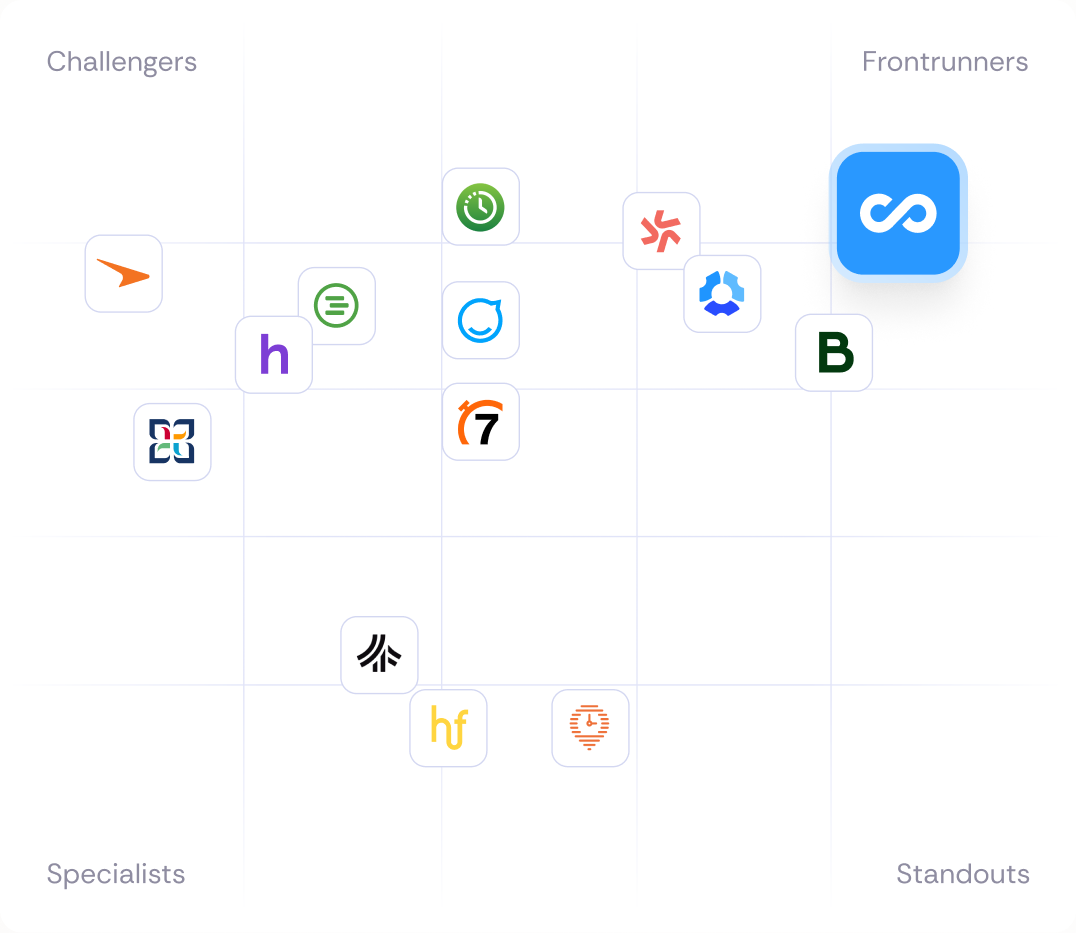
Connecteam vs competitors comparison chart

Our clients say it best

CleanFocus logo

“To align a team our size, you have to be so deliberate with your communication and make sure everyone knows what’s happening and what to do next. Now we have one platform to manage everyone and everything.”

Angie Xylos Sales Support
BOSA Facility Services logo

“Connecteam is an absolute game-changer. We seamlessly communicate and employees access tasks directly on their phones.”

Paul Bahr

Director

Handorf logo

“I use Tasks for everything. We work with a wide variety of customers, so I set a recurring reminder for myself to contact them all.”

Mary Alexopoulos

Operations Admin

CookieBox logo

“When I have a lot of orders, I need Connecteam to have all of the forms and tasks. That way, I can organise my day and my team.”

Marion Walter

Head Pastry Chef

Everything to manage your team in one app

Connecteam documents feature card

Forms & Checklists

Digitise paperwork and collect live insights from the job

Connecteam chat feature card

Chat

Keep your team connected wherever work happens

Connecteam scheduling feature card

Rostering

Create, share, and edit optimal rosters with just a few clicks

Connecteam compliance feature card

Compliance

Keep teams trained, certified, and up to date on requirements

Small business?
Get it all for free

We love seeing small businesses grow.
Enjoy full access to all our premium features, 100% free for up to 10 users!

Smiling small business employees at a bakery and a delivery driver, with app cards showing a morning shift and 88% of users having read an update.

Managing a larger team?

Get started with flexible plans from just $29/month.

Frequently Asked Questions

A task management app is a digital tool for tracking employees’ tasks and deadlines.

You can assign tasks and include notes, deadlines, images, and other media needed to understand and complete the task.

With Connecteam’s task management feature, employees are notified on their phones when they’ve been assigned a task. In return, you will receive a notification once they have viewed the task and again when it has been completed. This ensures full transparency and accountability throughout the company.

Yes. For businesses using Connecteam’s Small Business Plan, the task management feature is 100% free for up to 10 users. If you have more than 10 users, you’ll still get a 14-day free trial to see if Connecteam’s task management is right for you and your team. When the free trial ends, you can opt for the limited plan (which is free forever) or you can upgrade to a premium plan to get advanced functionality.

In seconds, new tasks can be created and assigned to one or more employees. Employees will be notified when a task is assigned to them. They will have all of the information they need at their fingertips, including the start and due dates. The employee will receive a notification when the task start date approaches, and you will be notified every step of the way.

Adding subtasks lets you split a task into parts, so you can more closely track the employee’s progress. You can set the app to notify you when an employee finishes each subtask and the task as a whole. If any task is overdue, both you and the employee will be notified.

Attach notes and media to the tasks themselves so your employees will have all of the information needed to complete each task. If an employee has a question, they can ask it in the task itself, keeping all relevant information in one place.

Yes, you can create tasks and set them to repeat on a daily, weekly, or monthly basis.

Yes, you can grant permission to specific people, such as field managers, to create tasks from the mobile app, even if they don’t have admin rights.

Besides listing the tasks, Connecteam shows both the user and their manager the exact tasks to be completed. We also developed a smart set of push notifications for the user and the manager to ensure nothing falls through the cracks.

Yes. You can set due dates, start dates, and priorities for every task so employees know exactly what needs to be done and when. Managers can easily track upcoming, overdue, and completed tasks, helping teams stay organised and on schedule.

Absolutely. Add detailed instructions, subtasks, checklists, images, files, and forms to any task so employees have all the information they need to complete the job correctly. This helps reduce confusion, improve accountability, and ensure work gets done right the first time.