“It feels like Connecteam was tailor-made for security operations. It saved us hundreds of thousands of dollars over the years.”
Security guard management APP
Manage your security team with total confidence
Forget coverage gaps and operational blind spots. Connecteam gives you the visibility and accountability to stand behind your service with one simple app.


Trusted by over 25,000 Australian brands















Your day-to-day shouldn’t feel like damage control

Provide security with visibility and control

Full coverage in seconds
From missed call-outs
to every post covered effortlessly
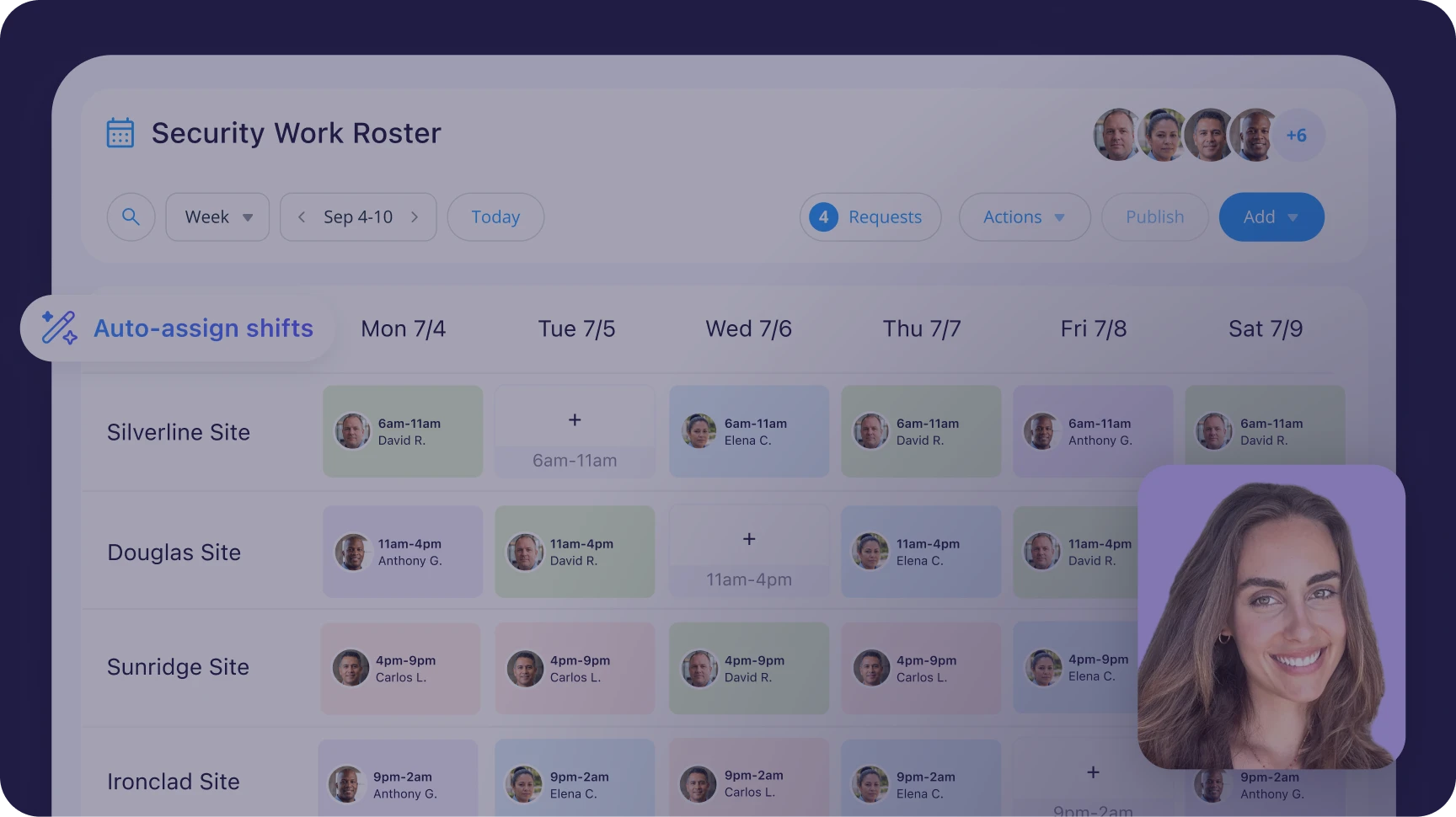
- Build rosters in seconds with auto-rostering and templates
- Automatically factor in availability and prevent conflicts
- Fill gaps fast with open shifts, shift swaps, and no-show alerts
- Ensure guards know their shifts with confirmations and reminders

GPS-powered time tracking
From time theft and on-site blind spots
to attendance verified in real time
- Verify presence with shift clock-ins and GPS tracking while on the clock
- Monitor patrols with a live location overview or NFC check-ins per post
- Defuse disputes with a time-stamped location history
- Track precise hours onto payroll-ready timesheets automatically

Digital records with clear proof
From client disputes and missing logs
to records that hold up
- Assign site-specific forms and checklists guards fill on their phones
- Capture incidents with photo and video proof, time stamps, and signatures
- Automatically tie activity history to the relevant shifts and sites
- Pull up records fast with a searchable, geotagged audit trail

Clear operational communication
From scattered texts and calls
to instant, confirmed alignment
- Centralise communication with a smart 1:1 and team chat, and feed
- Reach the right guards instantly by post or site
- Know critical updates are seen with read confirmations
- Reduce 2 a.m. calls by giving guards one-tap access to their post orders

Easy field usage
From struggling with complex tools
to one app guards actually use
- With one tap, guards can clock in, complete tasks, and report issues
- Set clear expectations with post instructions shown at clock-in
- Ensure guard privacy and trust with on-shift-only location tracking
- Avoid payroll disputes with timesheet and payslip visibility

Central cross-site management
From fragmented site operations
to one control center
- Assign guards to each site with local labour rules applied and no overlaps
- Track hours by site or client with dedicated pay rates for accurate billing
- Generate site-specific reports that confirm required standards were met
- Instantly reach the right guards at the right sites, without the noise
Watch a short demo
Loved by 1.8M+ users
Built on data security

Our clients say it best

HofsepPresident, Security Guard Group



Small business?
Get it all for free.
We love seeing small businesses grow.
Enjoy full access to all our premium features, 100% free for up to 10 users!

Managing a larger team?
Get started from just $29/month. A product expert will help you find your perfect fit.
Sync with your favourite tools
Integrate your daily work apps—like Xero and Myob—to make work flow from A-Z








Manage your security team in one app
FAQs
Yes. You can set a geofence around each site so guards can only clock in when they’re physically at the location.
You can also capture clock-in location data and set rules like auto clock-out when they leave the site. This ensures accurate attendance and prevents early or remote clock-ins.
Yes. You can manage all client sites in one account by setting up each location as a separate job.
Rosters, staff assignments, and permissions can be controlled per site, while still giving you a centralised view across your entire operation.
Yes. You can assign shifts by site, reuse rosters, and manage multiple locations without rebuilding everything manually.
This makes it practical to coordinate coverage across dozens of sites at once.
Yes. Guards can request shift swaps or claim open shifts directly through the app.
You control approval settings and can set rules to prevent last-minute changes that could leave a site uncovered.
Connecteam offers plans that include up to 30 users, with per-user pricing beyond that.
You can deactivate inactive guards so you’re not paying for staff who aren’t working, which is useful for part-time or on-call teams.
You can set pay rates per employee and track labor costs by site through reporting.
If the same guard works at multiple sites with different pay rates, the rate isn’t automatically applied by location and would need to be handled manually.
Yes. You can use NFC tags, QR codes, forms, and timestamps to confirm checkpoint visits.
You can also enable location tracking during shifts to see movement and verify that guards are actively patrolling rather than staying in one place.
Yes. You can create custom incident report forms with required fields, photos, and signatures.
Each report is time-stamped and can be exported as a PDF, making it easy to share with clients or keep for compliance records.
Yes. You can build recurring rosters and templates for patterns like 4-on, 4-off or multi-team rotations.
Rosters can be copied forward and adjusted as needed, while the system helps flag conflicts.
Yes. You can export timesheets and reports by job or location, so billing is clean and accurate per client.
Reports can be downloaded on demand or scheduled, and exported in formats like CSV, Excel, or PDF.
Connecteam works in low-connectivity environments, but it isn’t fully offline.
If there’s no signal at all, some features may not function reliably. In those cases, you can adjust settings like location requirements, but that reduces verification.