🇦🇺 Proudly serving Aussie businesses with
our local Melbourne team

Digital form & checklist software Replace every paper form, without missing a beat

Make daily routines easier to complete, track, and prove with mobile forms your team can submit from anywhere. No messy paperwork or chasing updates.

  • No credit card needed | Best ease of use
  • GDPR Aligned
  • ISO 27001
  • SOC 2 Certified

No credit card needed No credit card needed

Connecteam digital forms and checklists app shown on desktop and mobile with a safety inspection form and completion tracking

Trusted by over 25,000 Australian brands

Logo
Logo
UltraTune Logo
SubWay Logo
Red Rooster Logo
Ray White Logo
Night Owl Logo
Muffin Break Logo
KFC Logo
Keolis Downer Logo
Jamaica Blue Logo
Instant Scripts Logo
Gloria Jeans Logo
DGA Logo
Cleanaway Logo

Learn about our Forms & Checklists in 2 minutes

Connecteam forms and checklists product video thumbnail showing a mobile checklist and desktop submissions dashboard

Create and publish forms in a snap

  • Build your own from scratch or save time with a ready-made template
  • Turn existing form files or photos of printed forms into digital forms with AI
  • Require images and signatures to get the proof and details you need
  • Keep processes consistent and up to date across teams and locations
Open a free account

Get every detail, without slowing work down

  • Let employees complete forms and checklists right on their phone
  • Collect relevant information with forms that ask the right follow-up questions
  • Get faster, more complete submissions with AI that lets employees speak their answers
  • Gather proof of work such as photos, e-signatures, and location stamps
Open a free account

In control, every step of the way

  • See who completed what and get real-time notifications
  • Know what’s happening in the field and act on issues faster
  • Follow up directly on submissions to clarify details and keep work moving
  • Filter based on form answers to find the right people and take action faster
Open a free account

All your records, right where you need them

  • Keep every submission stored in one secure place
  • Pull up past entries in seconds, ready for any audit or review
  • Have signed, timestamped proof of compliance, always
  • Export and share reports with anyone in your organisation
Open a free account

More to love about our forms & checklists

Keep work moving

Review submissions, resolve issues quickly, and prevent work from stalling

Skip the chasing

Automatic reminders save you from chasing missing submissions

Go paperless

Cut paper waste and printing costs to support greener daily operations

Fit your workflow

Customise forms with rules, deadlines, and limits that match the way your team works

Drive ownership

Keep teams accountable with verified records for every submission

Connecteam Trust Badges

Where 1.8M+ managers and employees get work done, every day

Collection of Connecteam review and award badges featuring Capterra Best Ease of Use 2026, Capterra Shortlist 2026, Software Advice Front Runners 2026, and Trustpilot Rated Excellent recognition.
Connecteam vs competitors comparison chart

Our clients say it best

Cookie Box logo

“When I have a lot of orders, I need Connecteam to have all of the forms and tasks. That way, I can organise my day and my team.”

Marion Walter Head Pastry Chef
Video thumbnail featuring a smiling employee in a cap and apron inside a Cookie Box bakery.
Total Commercial Cleaning Solutions logo

“I’ve put an incident report in as a form. Staff just fill it out and send it off to me.”

Fiona Ruotolo

Operations Manager

i&d Traffic Management logo

“They can’t submit the form without filling it out properly, which is great. We’re getting a lot more information for jobs than we did before.”

Amy Walker

Contractor

Anahata Care logo

“We have employees fill out forms for incidents in the house and safety incidents. Same with claiming travel allowances.”

Paul Newman

Office Manager

Everything to manage your team in one app

Connecteam employee rostering feature preview

Rostering

Create, share, and edit optimal rosters with just a few clicks

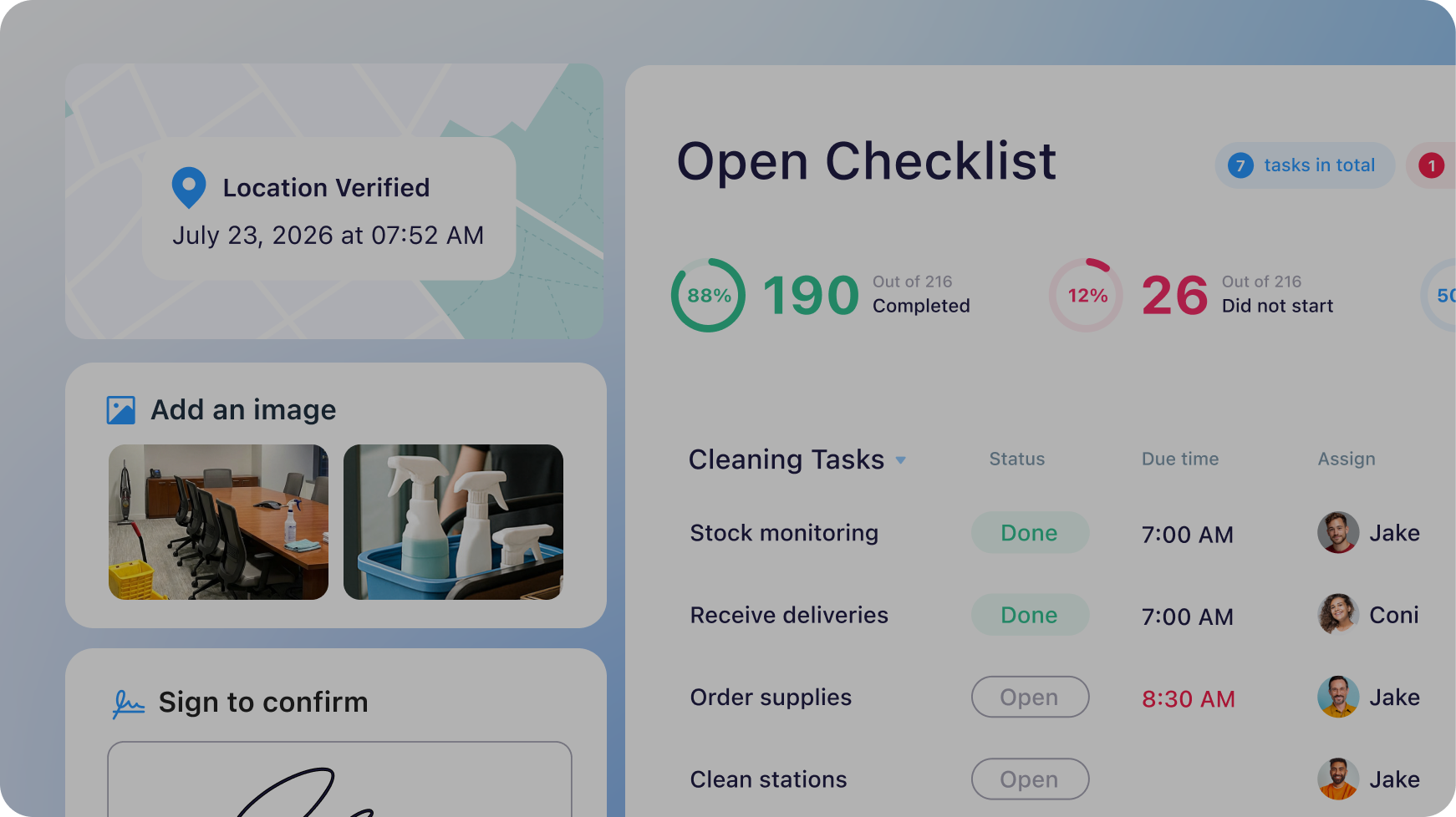
Connecteam task management feature preview

Task Management

Assign tasks and see work get done right in real time

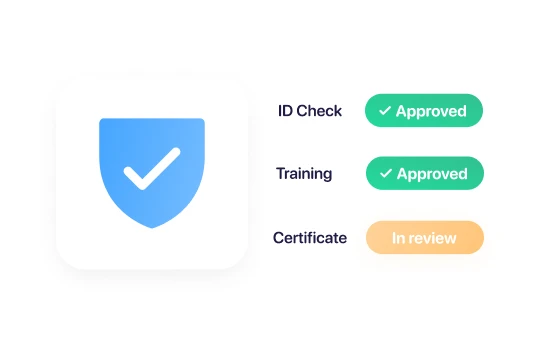
compliance check status: ID Check (Approved), Training (Approved), and Certificate (In review) next to a blue shield icon with a checkmark.

Compliance

Keep teams trained, certified, and up to date on requirements

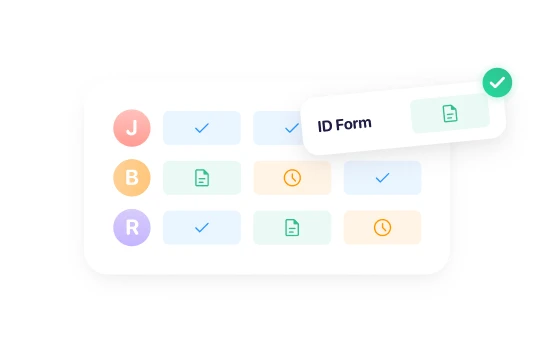
Graphic of a document tracking dashboard displaying employee initials and status icons for forms, featuring a highlighted

Documents

Store and manage all employee documents in one place

Small business?
Get it all for free

We love seeing small businesses grow.
Enjoy full access to all our premium features, 100% free for up to 10 users!

small-business-image-1

Managing a larger team?

Get started with flexible plans from just $29/month.

Frequently Asked Questions

Using a forms app makes data collection exponentially easier than a traditional pen and paper method. Digital forms can include checklists, reports, requests, and more. A forms app keeps all these documents in one digital location, eliminating time-wasting filing and the physical space those forms would otherwise take up. In addition, a good forms app, such as Connecteam, will back up all digital forms, guarding you against data loss. Finding a digital form couldn’t be easier using Connecteam’s handy search function.

Yes. For businesses using Connecteam’s Small Business Plan, the Digital Forms feature is 100% free for up to 10 users. If you have more than 10 users, you’ll still get a 14-day free trial to see if Connecteam’s Digital Forms is right for you and your team. When the free trial ends, you can opt for the limited plan (which is free forever), or you can upgrade to a premium plan to get advanced functionality.

Connecteam’s Digital Forms app is a breeze to set up and use. Managers can create their own digital forms or use premade templates. You can use the forms app to create digital checklists, incident reports, or even confirmation that an employee has read company changes.

Managers using Connecteam’s Digital Forms can:

  • Automate information gathering
  • Keep digital records of acquired information
  • Require actions, such as signatures or photo uploads
  • Notify employees of missing forms
  • Approve or reject employee forms
  • Receive notifications when employees check off items, sign documents, or upload a form
  • Easily find the exact form needed using the search bar
  • Export forms as PDF files or to Excel
  • Communicate with employees without ever leaving the form
  • Fully customise forms to fit the needs of the company
  • Give employee feedback regarding a form they submitted

Employees can:

  • Fill out and upload forms from their mobile device
  • Alter forms that were not approved
  • Receive notifications regarding the status of submitted forms
  • Operational checklists – safety checklists, opening checklists, etc.
  • Report workflows – incident reports, accident reports, etc.
  • Inspection reports – health inspection, performance audits, etc.
  • Read and sign workflows – uniform policy, health declaration, etc.
  • Ticketing – opening a maintenance ticket, reimbursement form, etc.

Yes. With Connecteam, you can turn existing paper forms, PDFs, and other files into digital forms in minutes. Simply upload your file and let AI automatically convert it into a customizable form. You can then add fields, e-signatures, conditional logic, and more, making it easy to collect accurate information, streamline workflows, and eliminate paperwork.

Yes. Employees can complete forms and checklists directly from their phones, whether they’re in the field, on the road, or at a job site. They can submit responses, upload photos and files, add e-signatures, and even use AI-powered speech-to-text to fill out forms hands-free.

Yes. Employees can use AI-powered speech-to-text to complete forms by simply speaking into their device. Connecteam automatically captures, summarizes, and organizes their input into the correct form fields, making data collection faster, easier, and completely hands-free.

You can create virtually any type of form or checklist your business needs, including inspections, safety audits, incident reports, equipment maintenance logs, onboarding forms, expense reimbursement forms, daily checklists, compliance forms, customer surveys, and more. You can build forms from scratch, start with a template, or use AI to instantly convert existing files into digital forms.Can I create dynamic forms based on employee answers?