Easily plan, share, and promote company events to raise attendance and excitement to an all-time high
Bring the buzz to every event
- No credit card needed
- Best ease of use


Trusted by over 25,000 Australian brands















Learn about our events in 2 minutes

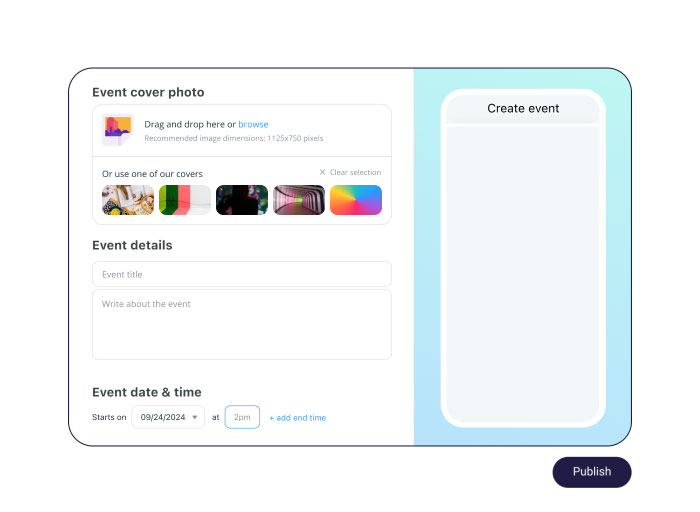
Easily create & send event invites
- Include all key information: date, location, images, details
- Customise every detail, including RSVP options
- Invite by individual, department, or the entire company in a click
- Allow attendance confirmation from anywhere
Increase anticipation & participation
- Instantly notify invitees to ensure no one misses out
- Embed a shortcut to address related issues via chat
- Get the buzz going by letting others comment and react
- Spark interest by providing a view of who’s attending

Reinvent the way you event
Invite, publish, and promote any event in a few clicks
Plan your event to perfection
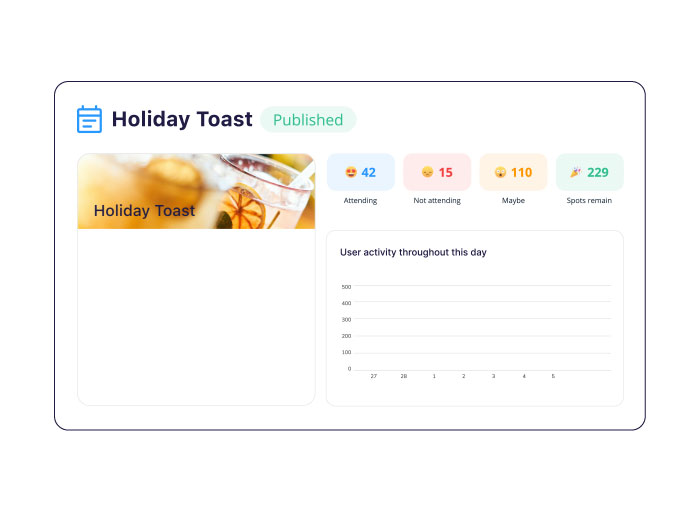
- Gain clear insights into attendee numbers for precise planning
- Gather logistical details by adding shortcuts to forms and polls
- Encourage on-time responses by setting registration deadlines
- Easily reach out to non-responders with follow-ups

A BIG deal for small businesses
Connecteam is 100% free for up to 10 users!
Explore more


About the Connecteam Events feature
A digital event feature brings rostering, planning, and communicating to the digital world. Using an app, you can streamline RSVPs and communicate with attendees.
Yes. Everyone gets a 14-day free trial to use all of Connecteam’s event features. After the trial ends, you can opt for the free plan or subscribe to a premium plan to continue using all of Connecteam’s event features.
Connecteam’s events are calendar-based features admins use to notify, manage, and track event attendance. Events can be open to the entire company or specific users or groups.
Events can be created for special occasions, like a holiday party or day-to-day events like team meetings. Since the event app is so easy to use, you’ll spend less time rostering and following up with employees and more time focusing on the work at hand.
Using Connecteam’s event features, an admin can:
- Create events
- Limit the number of guests each employee can bring or the number of spots altogether
- Send important updates with read status, so no one misses any changes
- Remind guests of the upcoming event and if they need to prepare in any way
- Hide the guest list from other attendees
- Export the guest list
Employees can use the event features to:
- Discuss the event and ask questions
- RSVP so management can plan accordingly
- Share their thoughts, pictures, videos, and experiences once the event ends