
If you’re not tracking employee hours accurately, you’re risking more than payroll mistakes. Underpayments, missed breaks, and incorrect overtime can quickly put your business on the wrong side of Fair Work compliance.
To help you avoid costly errors, I reviewed dozens of clock-in clock-out apps and shortlisted the 6 best based on time tracking accuracy, compliance support, and ease of use for both managers and employees.
Use these tools to keep accurate records, stay compliant with modern awards, and run payroll without second-guessing your timesheets.
| App | Best for | Starting Price | Key Considerations |
| Connecteam | Managing field teams, shifts, and compliance in one system | Just USD29/month for the first 30 users | Strong control over time tracking and compliance, but requires internet connection |
| Deputy | Businesses needing automated modern award compliance | A$6.75/user/month | Built-in award interpretation, but advanced security is limited to higher tiers |
| Tanda | Teams managing both field and office employees under modern awards | A$12.80+GST per user per month | Strong compliance tools, but user experience can feel clunky |
| RotaCloud | Small teams needing simple rostering and time tracking | ~A$19/month (GBP 10) | Easy to use, but limited payroll integrations in Australia |
| 7shifts | Hospitality teams using POS and tip management | ~A$43.55/month/location, up to 30 employees | Strong hospitality features, but weak break enforcement |
| Clockify | Teams that need simple, low-cost time tracking without modern award compliance requirements | USD$3.99/user/month | Basic time tracking only, with no built-in support for modern award compliance |
Our Top Picks
-
1

Best for managing field teams, shifts, and compliance in one system
-
2

Best for businesses needing automated modern award compliance
-
3
Best for teams managing both field and office employees under modern awards
Why trust us?
Our team of unbiased software reviewers follows strict editorial guidelines, and our methodology is clear and open to everyone.
See our complete methodology
How I Ranked the Best Clock-In Clock-Out Apps
To rank these apps, I focused on how well they handle real-world time tracking and compliance workflows. Each tool was tested hands-on and evaluated based on accuracy, payroll readiness, and how reliably it supports modern award requirements.
Must-have clock-in clock-out features
I made sure every clock-in clock-out app I tested had these three features:
- Break timer: Your app must have a way to track rest breaks and meal breaks required by modern awards.
- Timesheet calculation: Clock-in clock-out apps should produce time cards automatically to eliminate a potential source of error and make data easy to review.
- Record-keeping: The Fair Work Act requires employers to keep time records for 7 years, so I only considered apps that support long-term record-keeping.
- Multiple pay rates: If your employees get paid different rates for certain types of work, your app needs to track pay rates for each time entry.
Dealbreakers for this category
I also required that apps have these features in order to make my cut:
- Mobile access: Mobile apps for iOS and Android enable time tracking from a smartphone, which is crucial for deskless employees.
- Payroll integrations: Integrations with payroll platforms like Xero and QuickBooks cuts processing time and eliminate manual data entry.
Nice-to-have differentiators
There are a lot of features that time tracking apps can add to make their product stand out. I prioritized these three features because I think they’re the most useful on a regular basis:
- Timesheet review: Your app should automatically flag double entries and other issues so managers can spot problems before payroll.
- Geofences: Geofences ensure employees clock in from approved locations, preventing time theft.
- Alerts: Alerts remind employees to clock in and out so time entries are accurate. They can also let managers know when an employee no-shows or doesn’t take required breaks.
The 6 Best Clock-In Clock-Out Apps for 2026
-
Connecteam — Best for managing field teams, shifts, and compliance in one system
Connecteam is the best clock-in clock-out app for businesses that need accurate time tracking, strong controls, and reliable payroll-ready timesheets.
Why I chose Connecteam: I chose Connecteam because it offers one of the most reliable and controlled time tracking systems for frontline teams, with built-in tools to support compliance with modern awards and reduce payroll errors.
Multi-device time clock
Connecteam’s clock-in app is available for web, iOS, and Android, so employees can clock in with a click or a tap. One thing I like is that if your employees work from a single location, you can set up a shared time kiosk on a tablet or smartphone. Employees get their own sign-in PINs, and you can require a selfie during clock-in and out to prevent buddy punching.
I used this at a restaurant to simplify time clocking for all my employees. They’d punch in on a tablet running the Connecteam app when they showed up for work. They could punch in and out on the same tablet when they went on break, then again when their shift ended. It was super simple and employees rarely forgot to track their time since they had to go past the kiosk to get into the kitchen.
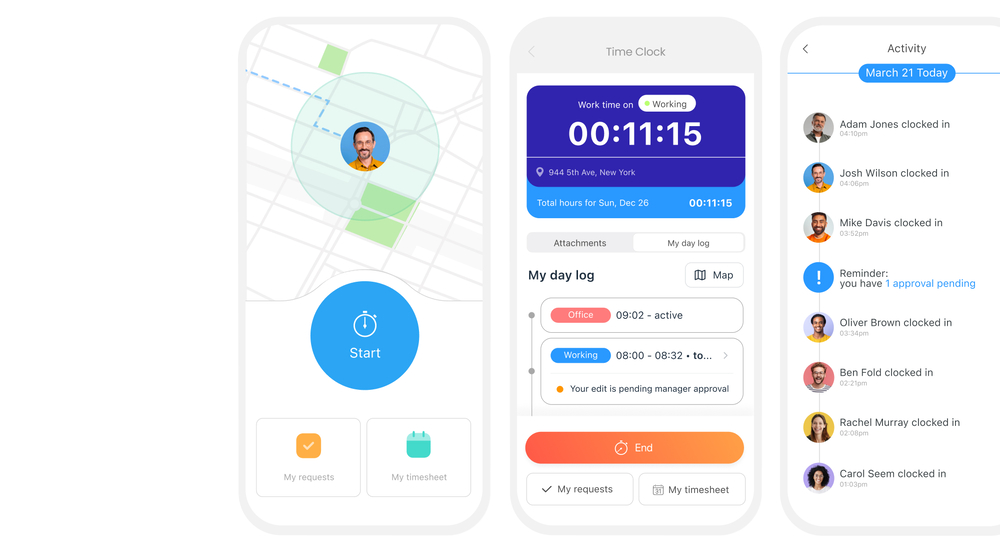
Connecteam’s clock-in clock-out app lets employees track time with a tap. It also lets you see where employees working in the field are in real-time. GPS tracking and geofences
Another thing I like about Connecteam is that it automatically tracks employees’ GPS locations when they’re clocked in. You can view their location on a map and see a breadcrumbs trail of where they’ve been during their shift. I use this to validate hours worked and reassign employees based on their live location when needed.
Connecteam also supports geofences, allowing you to limit employees to clock in only when they’re at an approved job site. This is another tool I use frequently to monitor employees and prevent time theft. However, this can be a privacy concern, so make sure to comply with your local laws regarding location tracking.
Flexible pay rates
Connecteam offers flexibility in managing overtime pay and differential pay rates. I can decide when overtime applies and set different overtime rates depending on whether an employee works daily or weekly overtime. I can also offer time off in lieu of overtime pay and set up custom pay rates for weekends and holidays. It’s also easy to pay employees different rates for different types of work.
Timesheets
Connecteam automatically creates digital timesheets for each employee. During review, you can clearly see scheduled vs. worked hours, breaks, overtime, and any irregularities like overlapping entries. Built-in flags help catch issues early, reducing the need for manual corrections before payroll.
Connecteam also integrates with Xero, QuickBooks, MYOB, Gusto, Paychex, ADP, and PrismHR so you can run payroll instantly after timesheets are approved.
Additional features
Connecteam also includes employee scheduling, task management, leave management, and an in-app chat. This makes it a solid option for businesses that need a comprehensive solution to track time, schedule employees, and communicate—all in one app.
When Connecteam may not be a good fitConnecteam is not the right fit for teams working in remote or low-connectivity environments where a stable internet connection isn’t guaranteed. Since the platform doesn’t support offline time tracking, employees need to be online to clock in and sync their hours.
It’s also less suitable for businesses that rely on hardware-based time clocks or need a fully offline setup at fixed locations.
Connecteam also offers a free for life plan – Get Started Now!
Key Features
- GPS location tracking
- Time kiosk with optional selfies
- Job and sub-job time tracking
- Flexible overtime and pay rules
- Automated timesheet and pay calculations
- Payroll integrations
Pros
- Strong control over clock-ins with GPS, geofencing, and verification
- Clean, payroll-ready timesheets with minimal manual corrections
- Real-time visibility into attendance, breaks, and overtime
- Combines time tracking with scheduling and team coordination
Cons
- No offline time tracking
- Requires internet connection for clock-ins and syncing
Pricing
Free-for-life plan availablePremium plans start at $29/month for 30 users
14-day free trial, no credit card required
Start your free trial -
Deputy — Best for businesses needing automated modern award compliance
What’s new with Deputy
Deputy recently raised its base price from A$5 per user/month to A$6.75 per user/month with a minimum monthly spend of A$30 (on monthly plans) starting September 1, 2025.
Deputy is a rostering, time tracking, and HR platform built for businesses with hourly employees.
Why I chose Deputy: Deputy ensures your business complies with modern awards across multiple locations and updates automatically as Fair Work requirements change. So, it’s a great option for small businesses that need help staying compliant.
GPS-enabled time tracking
Deputy lets employees clock in and out of work on their smartphone, tablet, or web browser, or using a shared kiosk. Optional facial recognition prevents buddy punching when using a shared kiosk.
During our in-depth testing, I appreciated that in healthcare and other settings where hygiene is critical, employees can also clock in to shifts using voice commands. For businesses in the medical field, this feature sets Deputy apart.The Deputy mobile app is also GPS-enabled so you can view employees’ locations in real-time. It also supports geofences and will automatically remind employees to clock out when they leave a job site. However, keep in mind that employee tracking features may be subject to legal restrictions based on your industry or local laws.
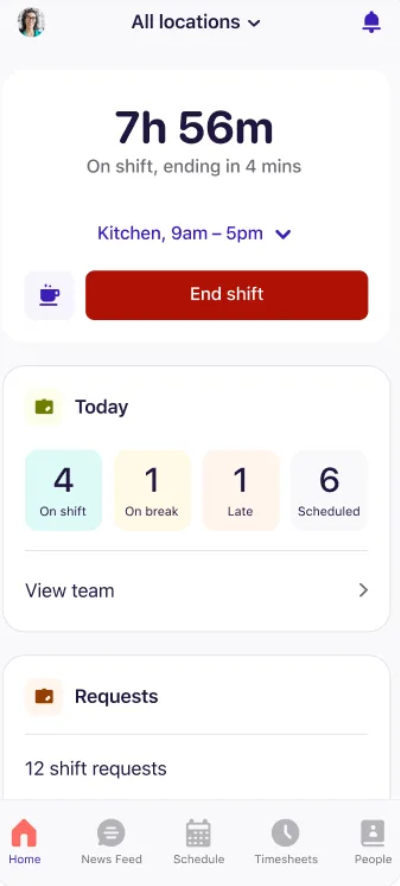
The Deputy mobile app lets you see how much time is remaining on your shift, as well as who’s working in real time. Compliance automations
Created by an Australian company, Deputy auto-fills modern award entitlements for each of your employees, allowing you to cut down on manual data entry and prevent costly mistakes. I like that the software captures time off allowances, overtime pay rates, and penalty rates automatically.
Deputy can also auto-schedule required breaks and send push notifications to remind employees about them.
Automatic timesheets
Deputy builds timesheets for each of your employees and highlights any missed breaks or overtime periods. You can review and edit timesheets, but there’s no way to comment on individual entries with questions for employees.
Deputy also integrates with more than 20 Australian payroll providers including ADP, PayHero, and MYOB.
Notable limitation
Deputy only offers advanced security features with its Enterprise plan, which is fairly pricey for a lot of small businesses that might otherwise be interested in this clock-in clock-out app. Keep this in mind if your business operates in a sensitive industry like healthcare.
What users say about Deputy
Deputy has most of the functionality we are looking for in a timeclock application. Our employees find it easy to use, and the punch details easily export to our payroll system.


Read review here.
Some advanced features and reports could be more customizable, especially for larger or more complex teams. Occasionally, the mobile app can feel a bit slow, and certain integrations could be smoother.

Read review here.
Key Features
- Track employees in the field with GPS
- Facial recognition for clock-in
- 20+ payroll integrations
- Automated compliance updates
Pros
- Automatically applies modern award rules and pay rates
- Strong compliance support for Australian businesses
- Flexible clock-in options including kiosk and voice
Cons
- Advanced security features require higher-tier plans
- Limited ability to comment or collaborate on timesheets
- Mobile app performance can be inconsistent
Pricing
Starts at A$6.75/user/month Trial: Yes — 31 days Free Plan: No
-
Tanda — Best for teams managing both field and office employees under modern awards
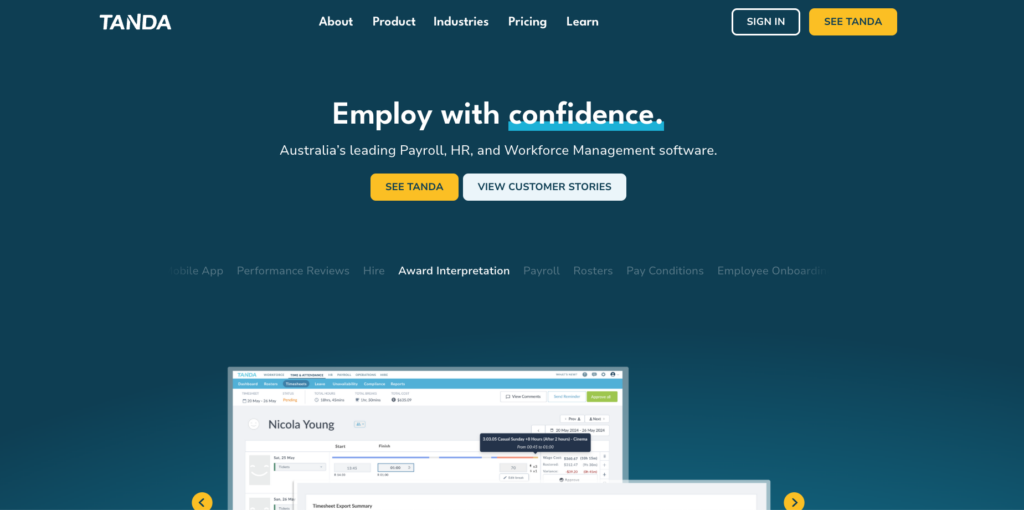
Tanda is a time tracking, payroll, and HR platform that helps you manage the latest changes to modern awards. Check out our full Tanda review to learn more details about the software’s pricing and features.
Why I chose Tanda: Tanda does a nice job automating compliance and tracking the latest changes to Fair Work rules. It’s not the most flexible or user-friendly app I tested, but it can work well for businesses that want a basic time tracking solution for both field- and office-based employees.
GPS time clock
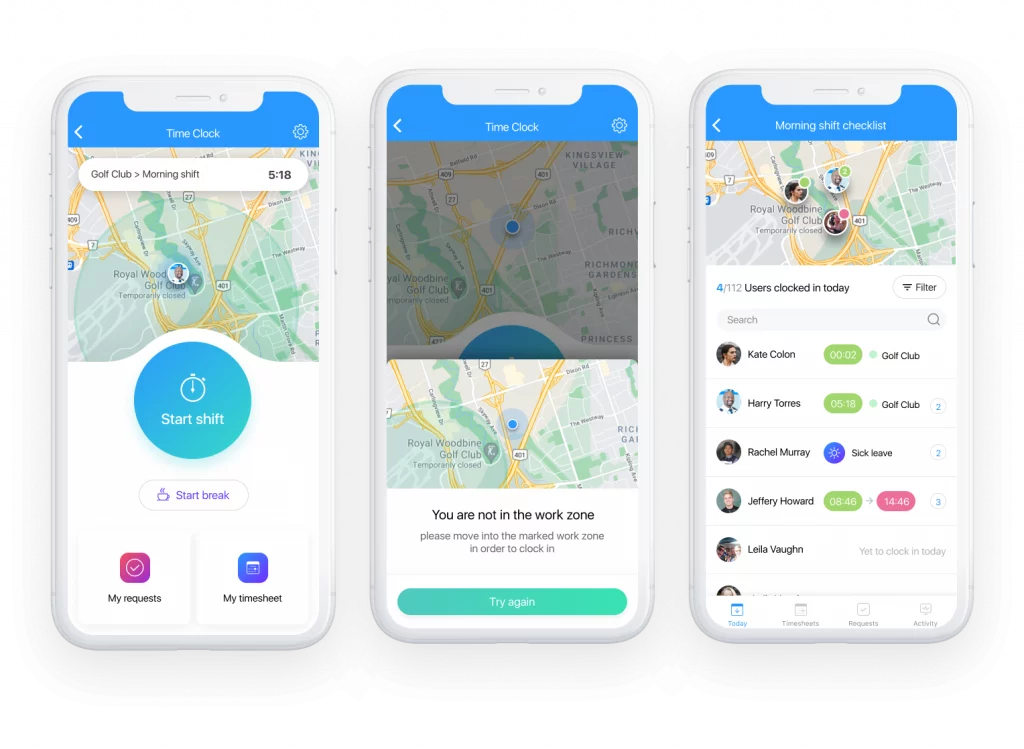
Tanda’s time clock enables employees to clock in and out with a tap and you can use it on the web, mobile, or as a time kiosk.
The time clock is GPS-enabled, so you can verify an employee’s location when they clock in and out as well as set up geofences. Employees can still clock in if they’re outside a geofenced area, but you’ll receive an alert about it.
Keep in mind that, depending on your state or territory, location tracking may be a privacy concern. Check your local laws to make sure you’re informing your employees about this feature appropriately.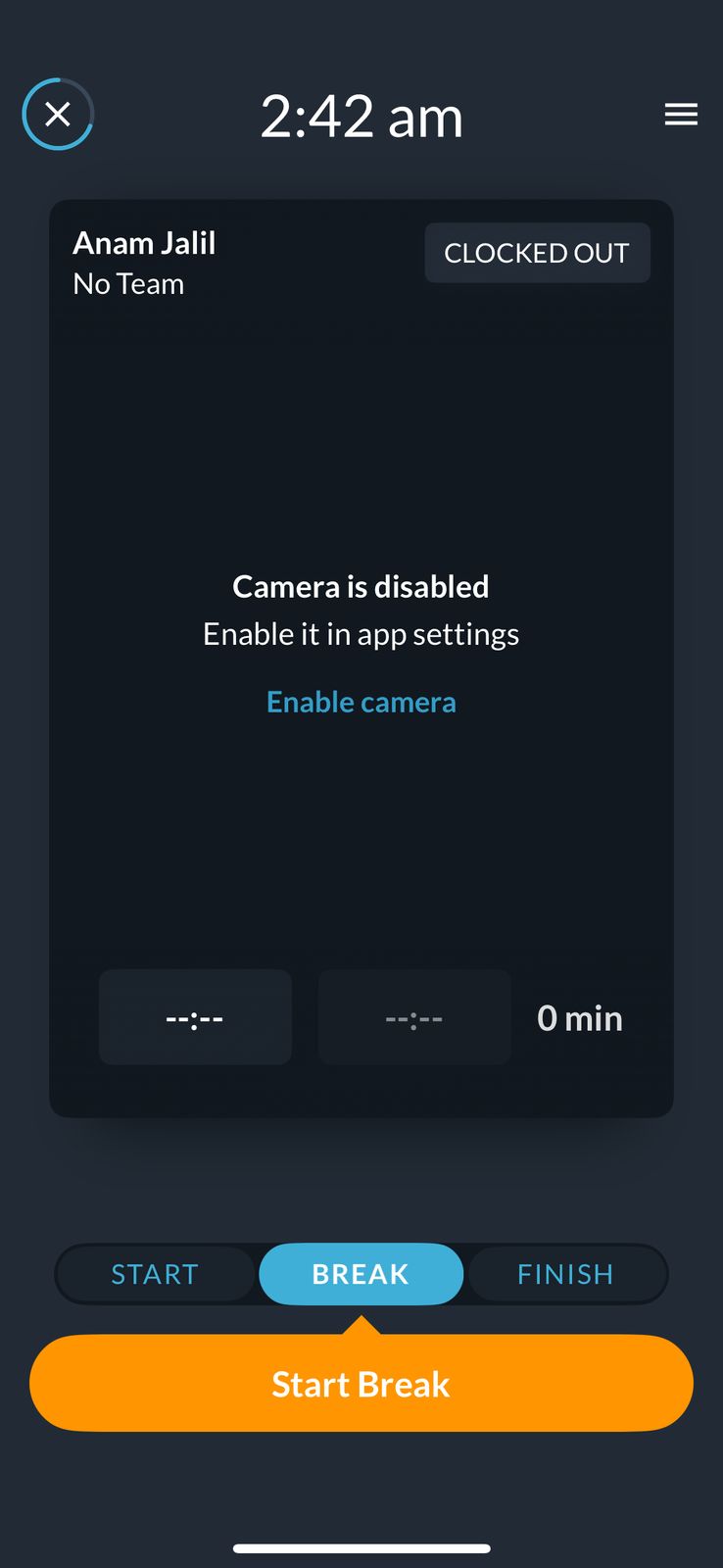
Tanda’s clock-in app lets employees track their hours and breaks, but it requires employees to enter their PIN even when starting a break. Timesheets and payroll
Tanda automatically creates timesheets for each employee and highlights important details like overtime, late clock-ins, and missed breaks. I appreciated that if all of an employee’s start and end times match your roster, the software will approve their timesheet automatically.
Tanda offers its own payroll software and integrates with 24 major Australian payroll providers.
Compliance updates
Tanda provides award templates for major industries, making it easy to calculate pay rates for most employees. The software also adds breaks to your roster automatically and alerts employees when there are deviations from their regular schedule, such as a shift they don’t typically work or a last-minute overtime request.
Notable limitation
Employees are assigned a PIN in Tanda to prevent time theft, but I found that this significantly degraded the user experience. The PIN is required for every modification to a time entry—including starting and ending a break—so it makes it hard to fill out time entries quickly.What users say about Tanda
Tanda does all the heavy lifting on the compliance side. We don’t stress about penalty rates or overtime calculations anymore – it just handles it.
Read review here.
It is a relatively new provider, so you will not have the same functionality off the bat as you do in more established systems, particularly in the HR modules.
Read review here.
Key Features
- GPS time clock with geofencing
- Built-in payroll and 20+ payroll integrations
- Award templates for a wide range of industries
- Built-in rostering software
Pros
- Strong modern award compliance and payroll automation
- Automatic timesheet approvals reduce admin work
- Handles both field and office teams in one system
Cons
- Frequent PIN entry slows down clock-ins and edits
- Geofencing alerts issues but doesn’t prevent them
- Interface can feel clunky and less intuitive
Pricing
A$12.80+GST per user per month Trial: Yes Free Plan: No
-

RotaCloud — Best for small teams needing simple rostering and time tracking
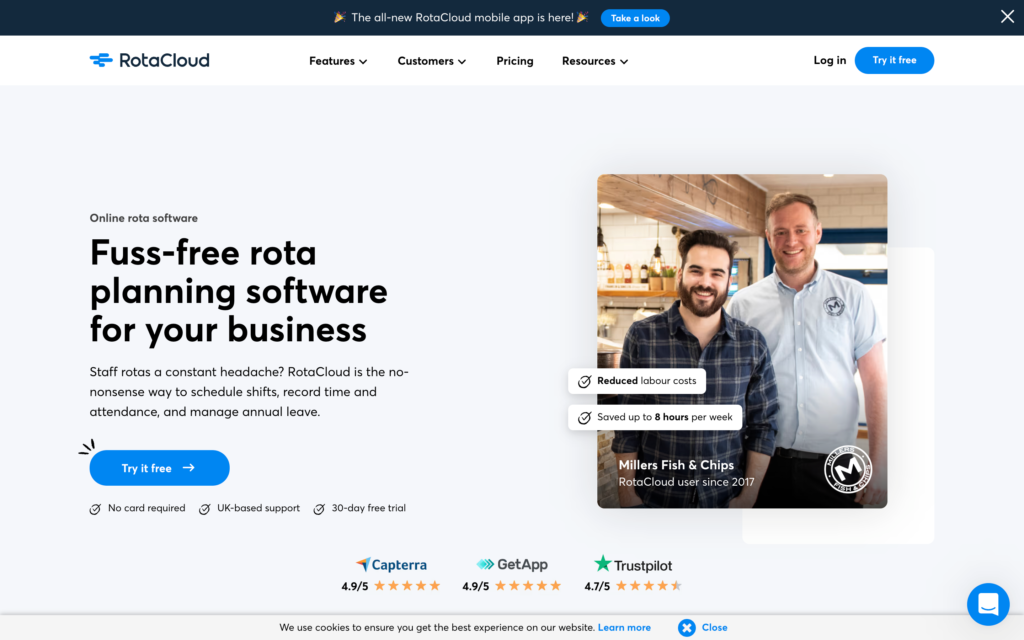
RotaCloud is primarily a rostering software, but it also offers an app for clocking in and out and automated timesheets. This summary is based on our full review of RotaCloud, where we evaluated its pros and cons in detail.
Why I chose RotaCloud: RotaCloud offers an easy-to-use interface for clocking in and out on the web or mobile. The time tracking features are combined with rostering software, making it a good choice for small teams that need tight coordination between their scheduling and timekeeping processes.
GPS-enabled time clock
RotaCloud offers a GPS-enabled time clock app that automatically logs the locations of clock-ins and clock-outs. It also supports geofences for clock-ins, although you can’t track employees’ real-time locations or view a breadcrumbs trail showing everywhere they went while on the clock.
That lack of continuous location monitoring may alleviate some privacy concerns, but it’s still important to let employees know exactly what’s being tracked in accordance with your state or territory’s specific laws.
For employees that work in an office, you can set up a time kiosk and require a unique PIN or selfie to prevent buddy punching. You also have the option of requiring employees to be connected to your business’s WiFi to clock in on their smartphone.
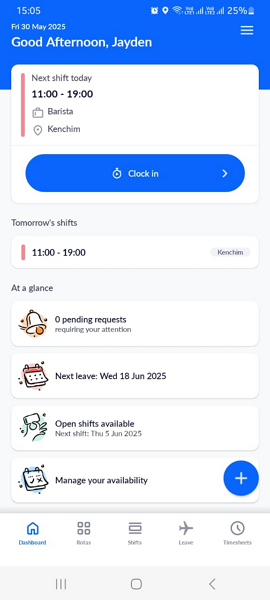
RotaCloud’s time clock enables employees to clock in and out on mobile and automatically tracks their location when they start or end a shift. Overtime and break tracking
RotaCloud is flexible for managing overtime, allowing you to choose when overtime kicks in and what pay rates should apply. You can also opt for time off in lieu of overtime. Just beware that RotaCloud doesn’t auto-fill modern awards rates, so it’s your responsibility to maintain compliance.
Timesheets
RotaCloud auto-generates timesheets for review. It automatically highlights potential issues such as an employee being late to shifts frequently. It also lets you add notes, which I like because it creates a record if you need to return to a timesheet in the future.
Unfortunately, RotaCloud’s payroll integrations are limited to Sage, PayCaptain, and Staffology, none of which are major providers in Australia.
Notable limitation
While RotaCloud also tracks breaks, it’s not great at enforcing compliant behaviors. It doesn’t remind employees to take breaks or prevent them from ending breaks early, for example. The app is also somewhat thin when it comes to integrations for Australian businesses, which may cause extra hassle for your payroll process.What users say about RotaCloud
Very user-friendly, accurate, easy to use, helpful, efficient support team, easy to look back at historic staff information.
Read review here.
Overall, it is a good system. Couple of minor issues that need to be looked at by the developers such as the deleted roles still showing.
Read review here.
Key Features
- Time kiosk with PINs and selfies
- Tracks clock-in and clock-out locations
- Supports time off in lieu of overtime pay
- Automatic timesheets
Pros
- Simple to use for scheduling and time tracking
- WiFi-restricted clock-ins help reduce time theft
- Clear visibility into attendance patterns
Cons
- Does not enforce break compliance
- Limited payroll integrations for Australian businesses
- No real-time location tracking or route history
Pricing
Starts at ~A$19/month (GBP 10) Trial: Yes — 30 days Free Plan: No
-

7shifts — Best for hospitality teams using POS and tip management
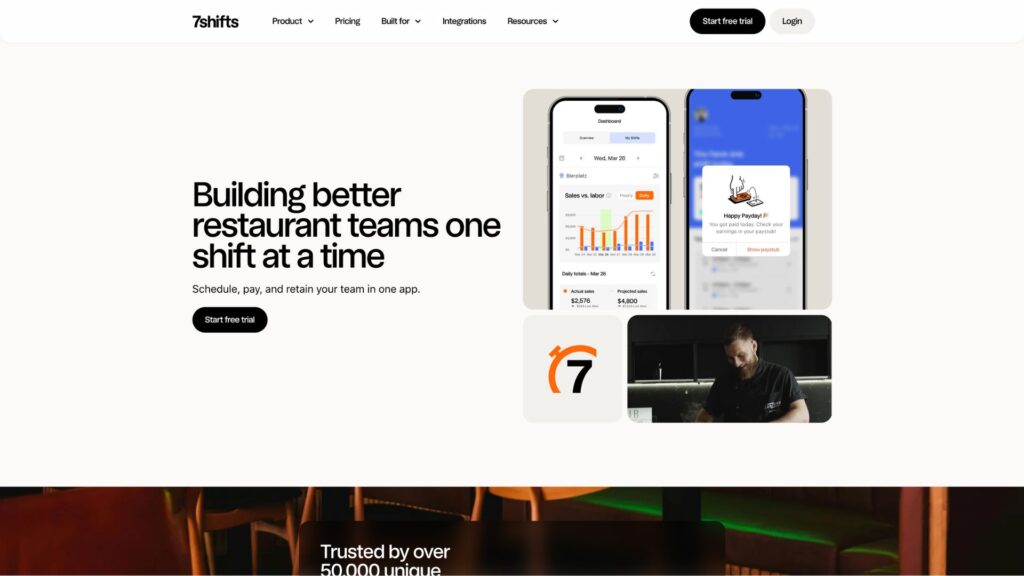
7shifts is a hospitality-focused rostering and time tracking software with a one-tap clock-in app. In our in-depth 7shifts review, we took a look at the software’s scheduling, tip management, and communication features.
Why I chose 7shifts: 7shifts handles everything from rostering to time tracking to payroll in a user-friendly platform. It especially stands out for hospitality businesses thanks to industry-specific features like tip management and point-of-sale (POS) integrations.
Time clock
7shifts offers mobile time tracking through their 7Punches app, a standalone iOS and Android app that employees use solely for clocking in and out of shifts. The app is simple to use and syncs in real-time with the main 7shifts platform. However, beware that requiring employees to use two different apps to check their schedule and clock in can sometimes lead to mistakes.
You can set up a time kiosk right on your POS thanks to 7shifts’ integrations, which is great for restaurants and retail businesses. However, the software doesn’t use facial recognition to prevent buddy punching.
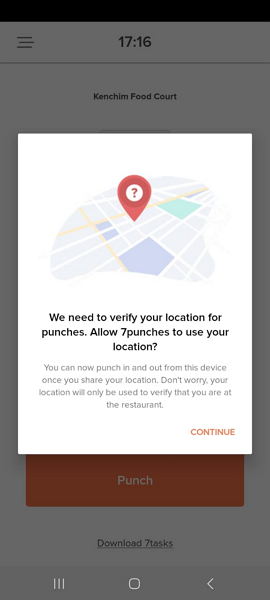
The 7Punches app lets you set a GPS geofence to prevent time theft Tip management
7shifts offers tip management tools to help you keep track of tips and distribute them fairly to employees. You can customize how tips should be divided based on role, hours worked, or based on a points system. Employees get visibility into their tips through the 7shifts app, enabling them to quickly check how much they’ve earned.
Manager logbook
Another unique feature I liked in 7shifts is the manager logbook, which allows managers to keep notes about shifts and share them with other managers. This enables you to track how employees are performing and call out when there are problems that couldn’t be fixed before shift-end.
Notable limitation7shifts doesn’t remind employees to take breaks and doesn’t prevent them from ending breaks early. Employees missing breaks or cutting them short frequently could turn into a significant compliance issue, so you’ll need to monitor this closely.
What users say about 7shifts
7shifts still remains a really simple and easy tool to manage schedules, clock ins/outs, and overall tool for tracking employees.
Read review here.
There’s no transparency, no empathy, and no practical way to get billing issues resolved.
Read review here.
0Key Features
- POS integrations for restaurants and retail
- Tip management tools
- Break tracking with attestation
- Built-in payroll software
Pros
- Strong POS integrations for hospitality businesses
- Built-in tip management and shift coordination tools
- Easy for staff to clock in using POS or mobile
Cons
- Time clock is separate from scheduling app
- No built-in protection against buddy punching
- Break compliance must be managed manually
Pricing
Starts at ~A$43.55/month/location, up to 30 employees Trial: Yes — 14 days Free Plan: Yes — Up to 1 location & 15 employees
-

Clockify — Best for teams that need simple, low-cost time tracking without modern award compliance requirements
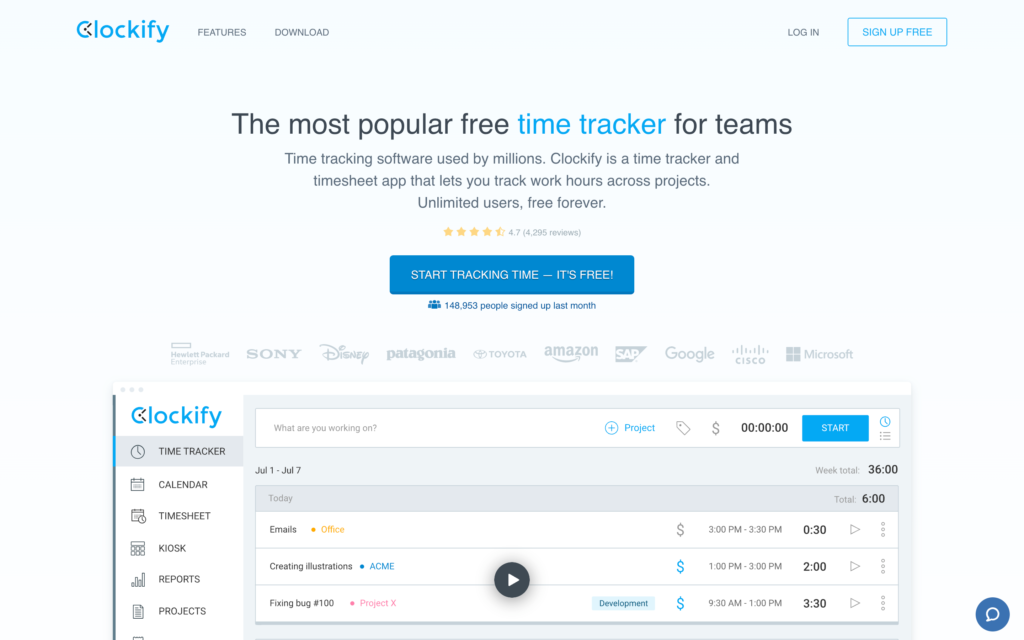
Clockify is a time tracking tool that offers timers, timesheets, reporting, and project-based tracking.
Why I chose Clockify: Clockify stands out for its free plan with unlimited users, making it a practical option for businesses that need basic time tracking without adding costs. However, it’s better suited to teams that don’t need built-in support for modern award compliance.
Our full review of Clockify goes into more detail about its free plan, reporting capabilities, payroll integrations, and interface limitations.
Time tracking
Clockify allows employees to track time using a timer on desktop or mobile, log hours manually, or clock in through a shared kiosk with a PIN.
It also offers GPS tracking and screenshot monitoring for remote teams, although these features are only available on paid plans. There’s no geofencing, which limits its usefulness for businesses that need to enforce location-based attendance rules rather than just monitor activity.
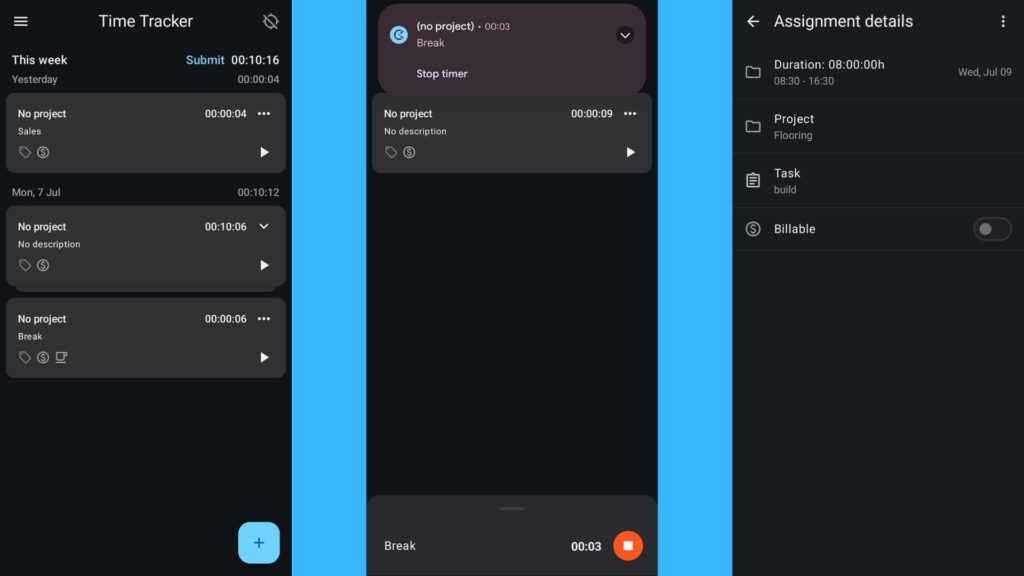
Clockify’s time tracking helps freelancers log their hours against their different projects. Clockify is primarily designed for general time tracking, not compliance-heavy environments. It doesn’t automatically handle modern award rules, penalty rates, or break requirements, so these need to be managed manually.
Note: Screenshot and activity tracking may raise privacy concerns. Make sure to follow Fair Work guidelines and obtain employee consent before using these features.
Timesheets and approvals
Timesheets are straightforward to review, with options to lock entries, leave comments, and approve hours in bulk. Time can be tracked against clients, projects, or tasks, which is useful for project-based work.
The interface is heavily table-based and can feel dated, especially when managing larger teams. On mobile, admin functionality is limited, with reporting and advanced settings restricted to the desktop version.
Integrations and payroll
Clockify integrates with QuickBooks Online for accounting, but not QuickBooks Payroll. While it connects with tools like ADP and Paychex, payroll workflows rely on manual exports rather than direct syncing.
It also doesn’t offer strong native integrations with common Australian payroll platforms like Xero or MYOB. In most cases, timesheets must be exported and uploaded manually, which adds admin work and increases the risk of errors.
Notable limitation
Clockify is not built for compliance-heavy environments. It doesn’t automatically handle modern award rules, penalty rates, or break requirements, so businesses in Australia need to manage these manually. Combined with its reliance on manual payroll exports, this can create extra admin work and increase the risk of errors.
What users say about Clockify
Clockify keeps time tracking straightforward, reliable, and impossible to fudge. It forces accuracy, makes reporting painless, and gives you a clean view of where hours are actually going.
The interface isn’t as polished or visually appealing as some other time-tracking tools I’ve tried. It’s quite simple, effective, but not very customizable. You can’t personalize reports that much, but it’s not a big issue overall.
0Key Features
- Time tracking with timer and manual entries
- Project and client-based tracking
- Timesheet approvals and locking
- GPS tracking (paid plans)
- Screenshot monitoring (paid plans)
Pros
- Free plan with unlimited users
- Simple time tracking and project-based reporting
- Flexible clock-in options across devices
Cons
- No geofencing or location enforcement
- Payroll requires manual exports
- Limited admin functionality on mobile
- No built-in support for modern award compliance
Pricing
Starts at USD$3.99/user/month Trial: Yes — 7 days Free Plan: Yes
Compare the Best Clock-In Clock-Out Apps
| Topic |
 Start for free
|
|
|
|
|
|
|---|---|---|---|---|---|---|
| Reviews |
|
|
|
|
|
|
| Pricing |
Just USD29/month for the first 30 users
|
Starts at A$6.75/user/month
|
A$12.80+GST per user per month
|
Starts at ~A$19/month (GBP 10)
|
Starts at ~A$43.55/month/location, up to 30 employees
|
Starts at USD$3.99/user/month
|
| Free Trial |
yes
14-day
|
yes
31 days
|
yes
|
yes
30 days
|
yes
14 days
|
yes
7 days
|
| Free Plan |
yes
Free Up to 10 users
|
no
|
no
|
no
|
yes
Up to 1 location & 15 employees
|
yes
|
|
Best for managing field teams, shifts, and compliance in one system
|
Best for businesses needing automated modern award compliance
|
Best for teams managing both field and office employees under modern awards
|
Best for small teams needing simple rostering and time tracking
|
Best for hospitality teams using POS and tip management
|
Best for teams that need simple, low-cost time tracking without modern award compliance requirements
|
|
What Are Clock-In Clock-Out Apps?
Clock-in clock-out apps, also known as employee time punch clock apps or time clock apps, are digital tools that track employees’ work hours. They’re designed to replace traditional paper timesheets and punch clocks, making it easier for employees to track their hours accurately while reducing paperwork.
Clock-in and clock-out apps can be used for both hourly and salaried workers. For hourly workers, they allow employees to clock in and out from their mobile devices so no time is missed. For salaried workers, clock-in apps can be used to track project hours so it’s easy to bill clients accurately.
How Does a Clock-In Clock-Out App Work?
For employees, clock-in clock-out apps provide an easy way to record work hours, breaks, and time spent on specific projects. They can clock in when they start work by tapping a button in a mobile app or by taking a selfie at a centralized time kiosk. When it’s time to end their shift, they can repeat the process to clock out. Many apps will also alert employees when it’s time to take a break or when they’re about to go into overtime.
Clock-in clock-out apps track employees’ hours over an entire pay period, then automatically generate timesheets for management and employees to review. Many will flag compliance issues like missed breaks or excessive overtime. Once managers approve timesheets, they can be exported to your payroll software.
The Benefits of Clock-In Clock-Out Apps
Businesses don’t adopt clock-in clock-out apps just to track hours. They use them to prevent payroll mistakes, stay compliant with modern awards, and reduce the time spent fixing timesheets every pay cycle.
Fewer payroll errors and corrections
Manual time tracking creates small mistakes that add up. Missed clock-ins, incorrect break deductions, and inconsistent overtime calculations can quickly lead to inaccurate pay.
Clock-in clock-out apps calculate hours automatically based on your rules, reducing the need for manual edits and helping ensure employees are paid correctly every time.
Better compliance with Fair Work requirements
In Australia, employers are required to keep accurate records of hours worked, breaks, and pay rates for up to 7 years. Failing to do this can result in penalties, especially if underpayments are involved.
A digital time tracking system creates a clear, timestamped record of every shift, break, and edit. Many apps also flag missed breaks or overtime issues before they become compliance problems.
Real-time visibility into attendance
Instead of finding issues after payroll, managers can see what’s happening as the week unfolds. You can track who’s clocked in, who’s late, and who is approaching overtime limits.
This visibility makes it easier to adjust schedules early and avoid unexpected labour costs.
Less admin work for managers
Without automation, payroll often turns into a cleanup process. Managers spend hours chasing missing punches, correcting timesheets, and double-checking totals.
Clock-in apps reduce this workload by generating timesheets automatically and flagging issues in advance, turning payroll into a simple review and approval step.
More accountability across your team
Features like GPS tracking, geofencing, and photo verification help ensure employees are clocking in from the right place at the right time.
These controls don’t eliminate every issue, but they reduce time theft and make attendance more transparent for both managers and employees.
How Much Do Clock-In Clock-Out Apps Cost?
Clock-in and clock-out apps typically charge a flat monthly fee for each person your business employs. Many offer multiple pricing tiers, with higher tiers unlocking features like multiple pay rates and custom break rules.
Most apps charge between A$1.42 and A$14.21 per user per month. For example, Deputy’s plans range from A$6.75-A$9 per user per month, while 7shifts starts at roughly A$43.44 per location per month for up to 30 employees.
Connecteam offers the best value with plans starting from A$41.22 (USD 29) per month for up to 30 employees. Connecteam also has a Small Business Plan that’s completely free for businesses with up to 10 employees.
The Bottom Line on Clock-In Clock-Out Apps
Clock-in clock-out apps aren’t just about tracking hours. They’re about preventing underpayments, staying compliant with modern awards, and avoiding the time-consuming process of fixing timesheets every pay cycle.
The right tool should give you accurate records, flag issues before payroll, and make it easy to manage breaks, overtime, and pay rates without second-guessing your data.
Connecteam stands out as the best overall option because it combines reliable time tracking, strong controls like GPS and geofencing, and clear, payroll-ready timesheets in one system that works well for both field and on-site teams.
That said, it’s not the right fit for every scenario. If your team works in remote areas without reliable internet, or you need a fully offline or hardware-based setup, a different solution may be more suitable. And if your priority is deep, built-in modern award automation, tools like Deputy or Tanda may be worth considering.
For most Australian businesses that want accurate records, fewer payroll errors, and less admin work, Connecteam is the most practical place to start.
Start tracking employee hours with Connecteam for free today.
FAQs
The best app depends on your setup, but most Australian businesses need accurate time tracking, support for modern award rules, and payroll-ready timesheets. Connecteam stands out because it combines these in one system that’s easy to use for both managers and employees.
You’re not required to use a specific app, but you are required to keep accurate records of hours worked, breaks, and pay rates. A clock-in app makes this much easier by creating a clear, timestamped record that helps reduce compliance risk.
Under the Fair Work Act, employers must keep time and pay records for 7 years. A digital time tracking system ensures these records are accurate, complete, and easy to access if needed.
Yes. These apps automatically calculate hours, breaks, and overtime based on your rules. They also flag issues like missed punches or incorrect break times before payroll, reducing the risk of underpaying employees.
GPS tracking is useful if employees work across multiple locations or job sites. It helps verify attendance and reduce time theft. For single-location teams, it’s optional but still useful for accountability.
Some free apps work well for small teams, but many lack controls like geofencing, automation, or detailed approvals. Connecteam offers a fully featured free plan for up to 10 users, including time tracking, GPS verification, and automated timesheets, making it a reliable option for small businesses getting started.